
Try it right here
This loads the live project from its own domain, exactly as a visitor would see it.
What it does
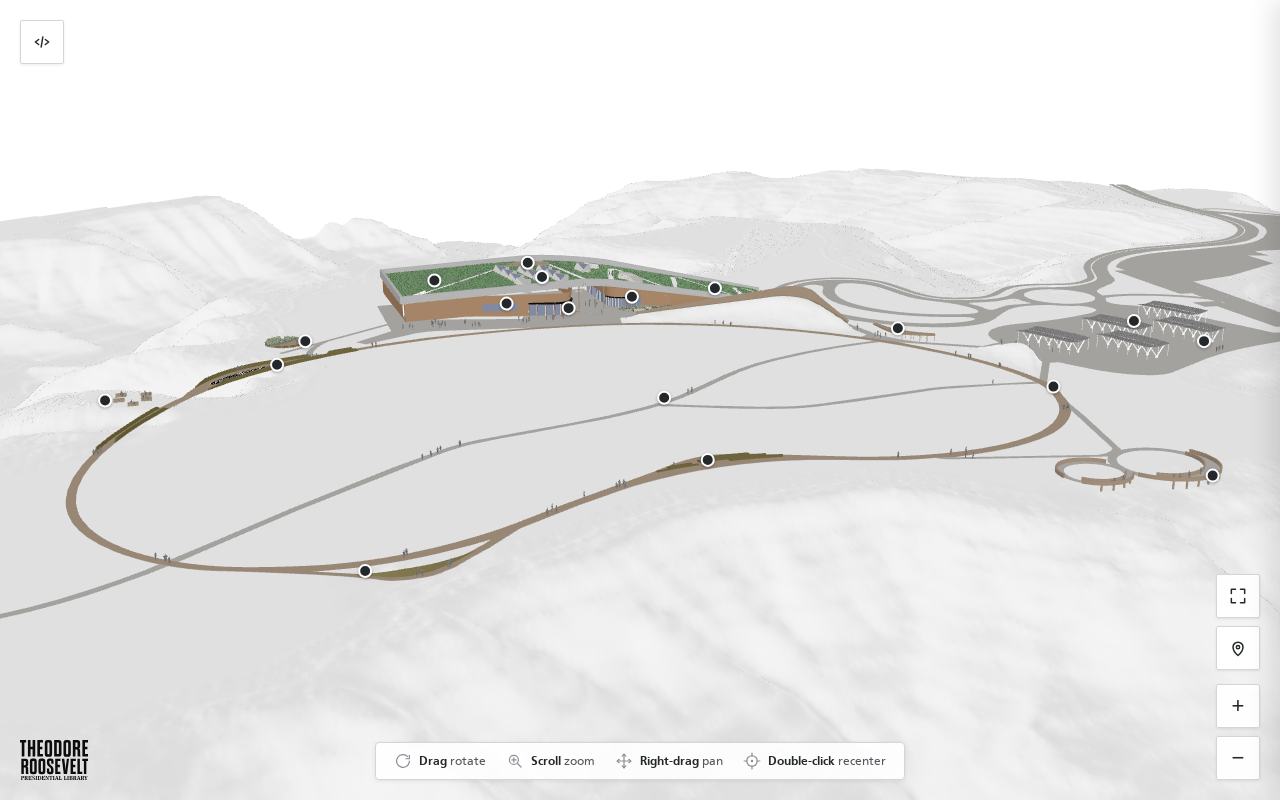
A web viewer for a compressed 3D model of the Library campus. Visitors orbit and zoom the terrain and buildings, click a point of interest to open a panel with an image, text, and a call to action, and share the exact view they are looking at through a short link.
The engineering that makes it usable is the compression — 7.7 MB delivered from a 256 MB source — and the occlusion: markers hide themselves when a building or a berm stands between them and the camera, computed against a precomputed height map rather than GPU raycasting. A visual editor lets a non-developer right-click to place pins and download the resulting file.
What it can do
- Draco-compressed, GPU-instanced campus model at 7.7 MB
- Clickable markers opening an image, description, and call-to-action panel
- Markers auto-hide when a building or berm blocks the line of sight
- Shareable view tokens encoding camera angle, zoom, target, and open marker
- Visual editor — right-click to place pins, download the JSON
- One-line embed with per-embed custom marker sets
Make it your own
Start by forking the repository into your own organization. Everything below assumes you are working in your fork, not this one.
- Fork the repo, replace the GLB with your own Draco-compressed campus model, and regenerate
heightfield.jsonfor the new geometry. - Open
/editor.htmlto right-click-place your own markers, then download and commit the resultingpois.json. Put marker photos inimg/poi/. - Replace the wordmark in
img/and update the@font-faceURLs inindex.html— they point at fonts hosted on trlibrary.com and will not work for you. - Edit
CNAMEand add a DNS record pointing at GitHub Pages. - Enable Pages with source GitHub Actions. The workflow publishes on every push to
mainwith no build step.
Stuck on a step? Open an issue on the repository. Questions from people adapting these for their own institution are the most useful feedback we get.