
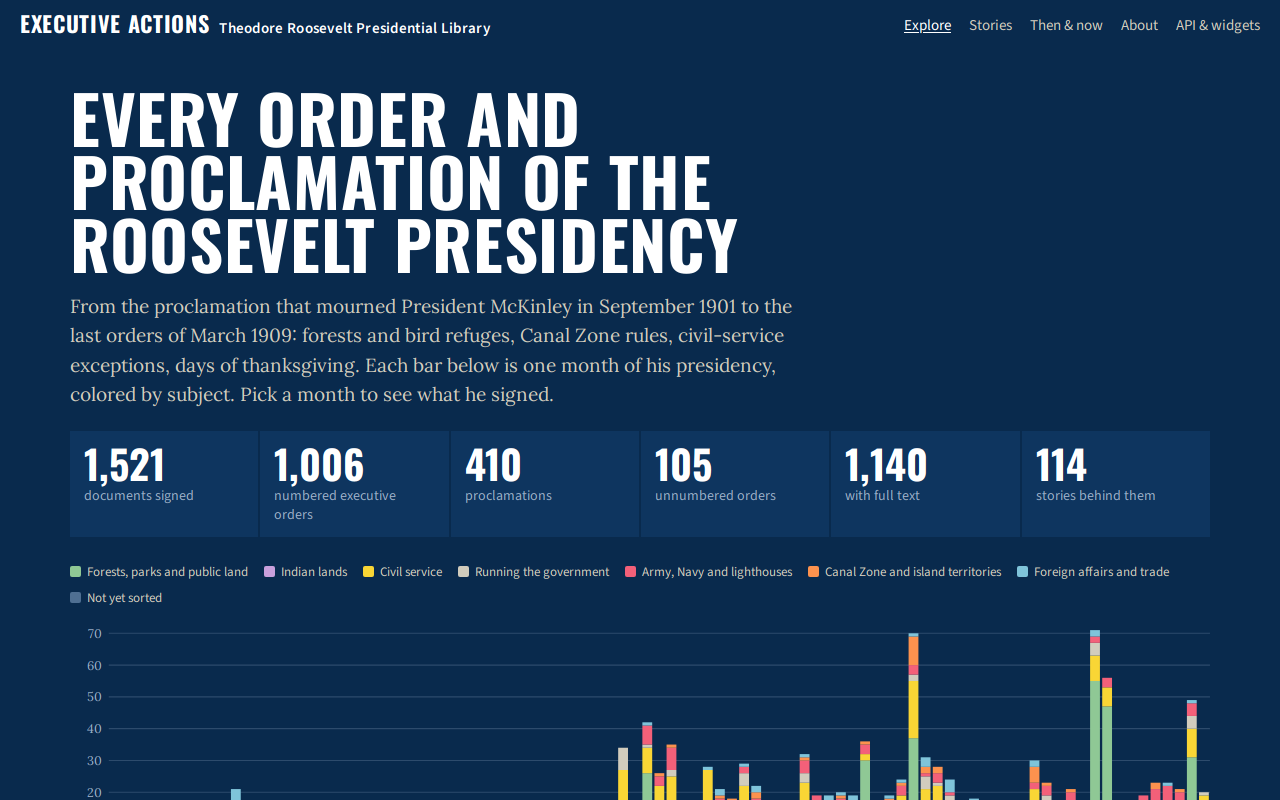
Try it right here
This loads the live project from its own domain, exactly as a visitor would see it.
What it does
Every executive order and proclamation Theodore Roosevelt signed as president — more than 1,500 documents — as an open dataset with a static JSON API, an explorer, and embeddable widgets. Each record has a plain-language summary, categories, places, states, citations to the Statutes at Large and the American Presidency Project, and a text where one exists.
More than 500 documents carry sourced notes on reception, political impact, and legacy, and nearly 200 present-day parks, forests, refuges, and other places are traced to the document that began them on a Then and Now page. Every text is labeled by how it was checked: collated word for word against a primary printing, or a working copy from a digitization or volunteer transcription.
What it can do
- 1,111 executive orders and 410 proclamations, reconciled across four source lists
- Static JSON API and CSV, rebuilt on every push
- 114 public stories written from verified research entries
- Then and Now: present-day places traced to the documents that created them
- Links between documents that modified or revoked one another
- Verification status on every text, with page-image links
- Embeddable widgets and cross-links to Day by Day
Make it your own
Start by forking the repository into your own organization. Everything below assumes you are working in your fork, not this one.
- Use the API directly: start at
/api/v1/index.json. The data is CC BY 4.0; the source documents are public domain. - To build another president's set, fork the repo and replace the catalogs in
sources/, followingdocs/methods.md. - Record every date or title correction with its source in
data/corrections.json. - Run
python pipeline/build_dataset.pyandpython pipeline/build_api.py. - Enable Pages through GitHub Actions; the workflow builds
site/apion every push.
Stuck on a step? Open an issue on the repository. Questions from people adapting these for their own institution are the most useful feedback we get.