
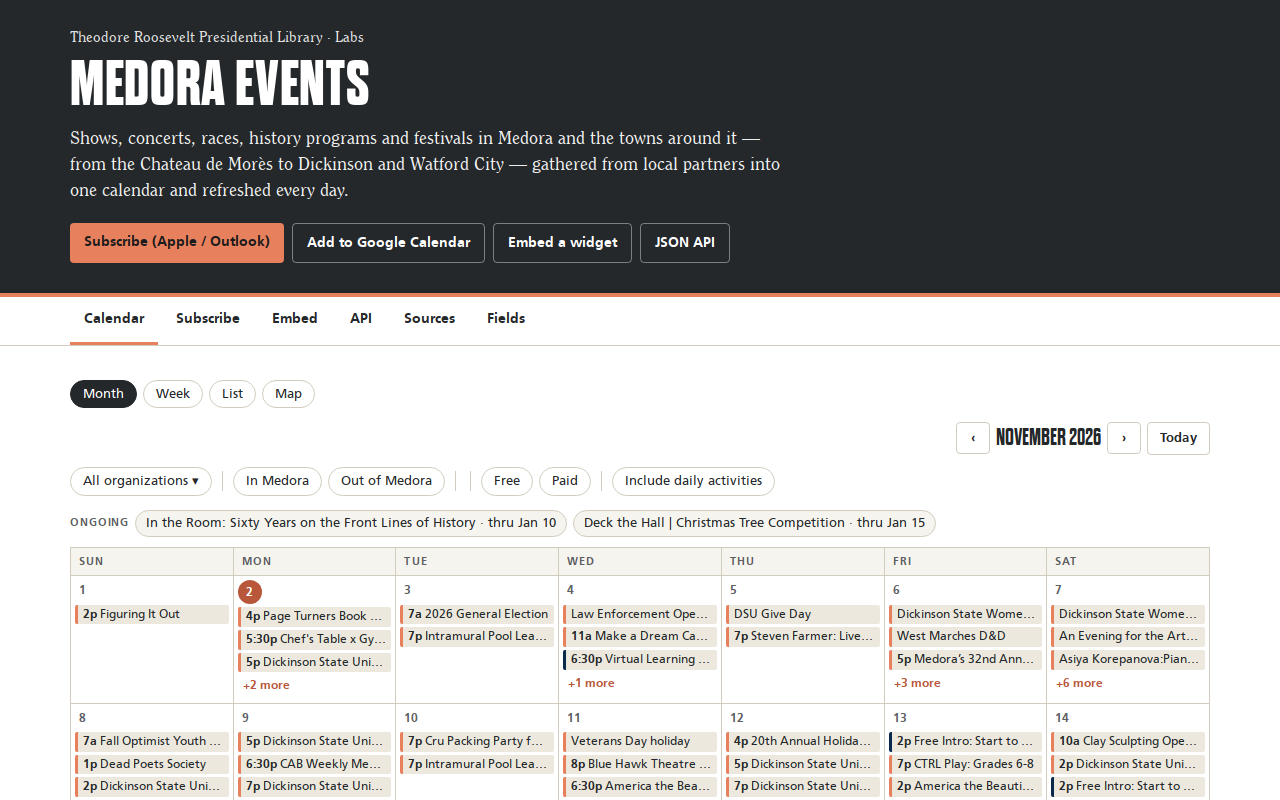
Try it right here
This loads the live project from its own domain, exactly as a visitor would see it.
What it does
Roughly nineteen partner calendars — the national park, the Medora Foundation, the chamber, saloons, churches, races, universities, state tourism — rebuilt daily into a single calendar.
The hard part is not collecting; it is that the same street dance is posted in five places with five different titles. A dedupe engine merges overlapping listings by date, start time within ninety minutes, and normalized title, and records which other sources also carried it. Every in-person event lands on a map, and the Mountain/Central time-zone line running through the region is handled per event rather than per feed.
What it can do
- Five embeddable widgets: upcoming, browse, month, week, and map
- Deduplication across sources, with source priority set by list order
- Automatic in-town or out-of-town tagging, with drive-time estimates
- iCal feeds per scope and per source, plus a versioned JSON API
- Correct per-event handling of the Mountain/Central time-zone boundary
- Hand-checked venue pins, with geocoding as the fallback
Make it your own
Start by forking the repository into your own organization. Everything below assumes you are working in your fork, not this one.
- Fork and rewrite
medevents/sources/for your own partner calendars. List order is the dedupe priority, so put your most trustworthy source first. - Edit
medevents/places.pyfor your towns, drive times and time zones, andconfig/venues.yamlfor hand-checked map pins. - Add repository secrets for whichever sources you keep —
NPS_API_KEY,FIRECRAWL_API_KEY,APIFY_TOKEN. - Settings → Pages → deploy from
main, folder/docs, then set your custom domain. - Run
pip install -r requirements.txtthenpython -m medevents.buildto check it locally before the first scheduled run. - Use
config/overrides.yamlfor corrections andconfig/manual_events.yamlfor venues that publish no calendar at all.
Stuck on a step? Open an issue on the repository. Questions from people adapting these for their own institution are the most useful feedback we get.