
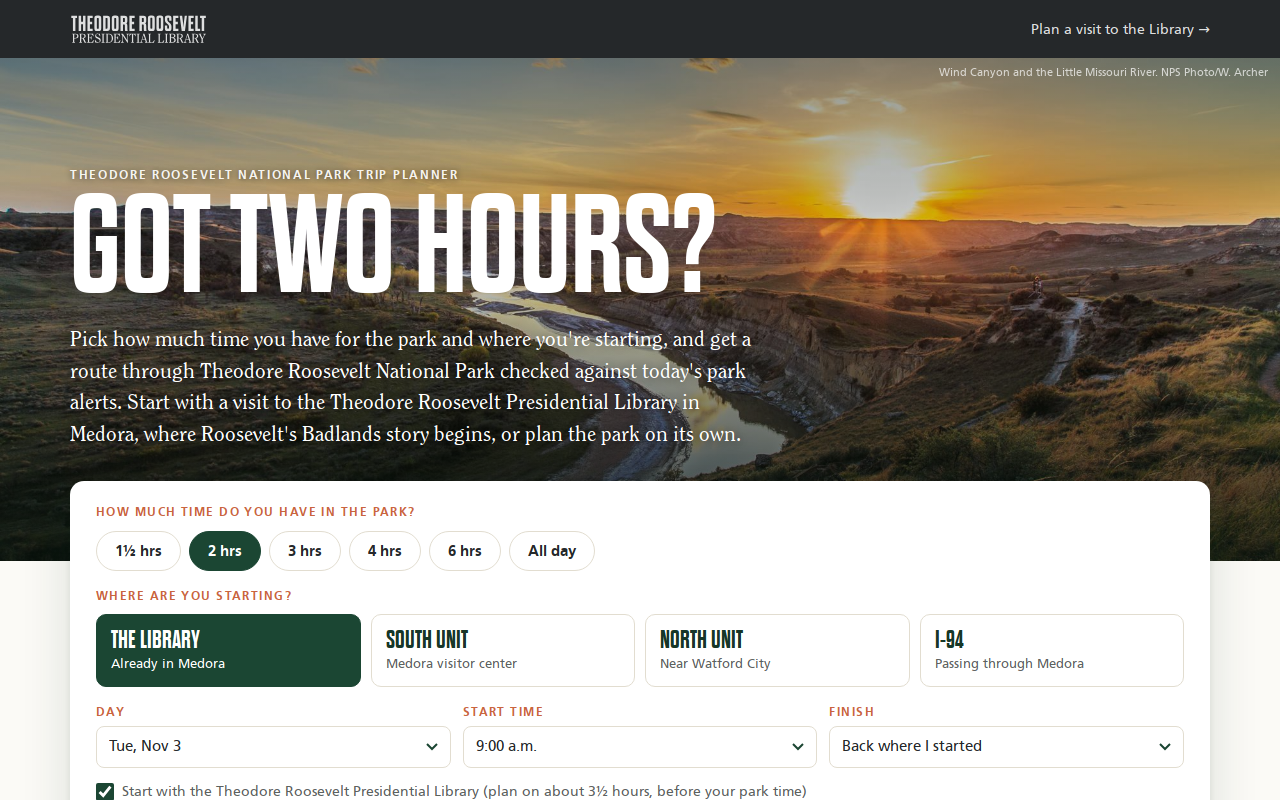
Try it right here
This loads the live project from its own domain, exactly as a visitor would see it.
What it does
A visitor picks how much time they have and where they are starting — the Library, either unit of Theodore Roosevelt National Park, or the interstate — and the planner builds a route. By default it starts with the full Library visit, checks live timed-entry availability for the first open slot, then fills the remaining park time with stops drawn from the National Park Service's own "things to do" and places data.
The route engine scores each stop against the time it adds, swaps in better stops when they fit, and orders them by the shortest drive. It respects visitor center hours, sunset, and any NPS alert that closes a stop, and it never shortens the Library visit to make a plan look complete. The finished plan lives in the page address, so a staff member can send a guest a link to the exact day.
What it can do
- Plans from 90 minutes to a full day, from four starting points
- Live timed-entry check against the ticketing feed, with next-day fallbacks
- Honors visitor center hours, sunset, and NPS closure alerts automatically
- Drive times from OSRM over OpenStreetMap roads, with a cushion
- "Roosevelt day" alternative that adds the Elkhorn Ranch on long plans
- Shareable plan links, with UTM-tagged ticket links for GA4
- Renders straight into the host page, no iframe, with scoped
tp-styles
Make it your own
Start by forking the repository into your own organization. Everything below assumes you are working in your fork, not this one.
- Fork the repo and get a free NPS API key. Add it as the Actions secret
NPS_API_KEY— the sharedDEMO_KEYis rate-limited and will miss runs. - Edit
data/stops.jsonfor your park: NPS ids, minutes at each stop, a 1–10 score, and your own institution's visit length underlibrary.visitMinutes. - Run
node scripts/build-matrix.mjsandnode scripts/build-nps.mjsto rebuild the drive-time matrix and park data. - Point the availability URL at your own ticketing feed, or turn the "start with" visit off with
lib=0. - Copy
docs/refresh-nps.ymlinto.github/workflows/, give workflows read and write permission, and enable Pages frommainwith your ownCNAME.
Stuck on a step? Open an issue on the repository. Questions from people adapting these for their own institution are the most useful feedback we get.