
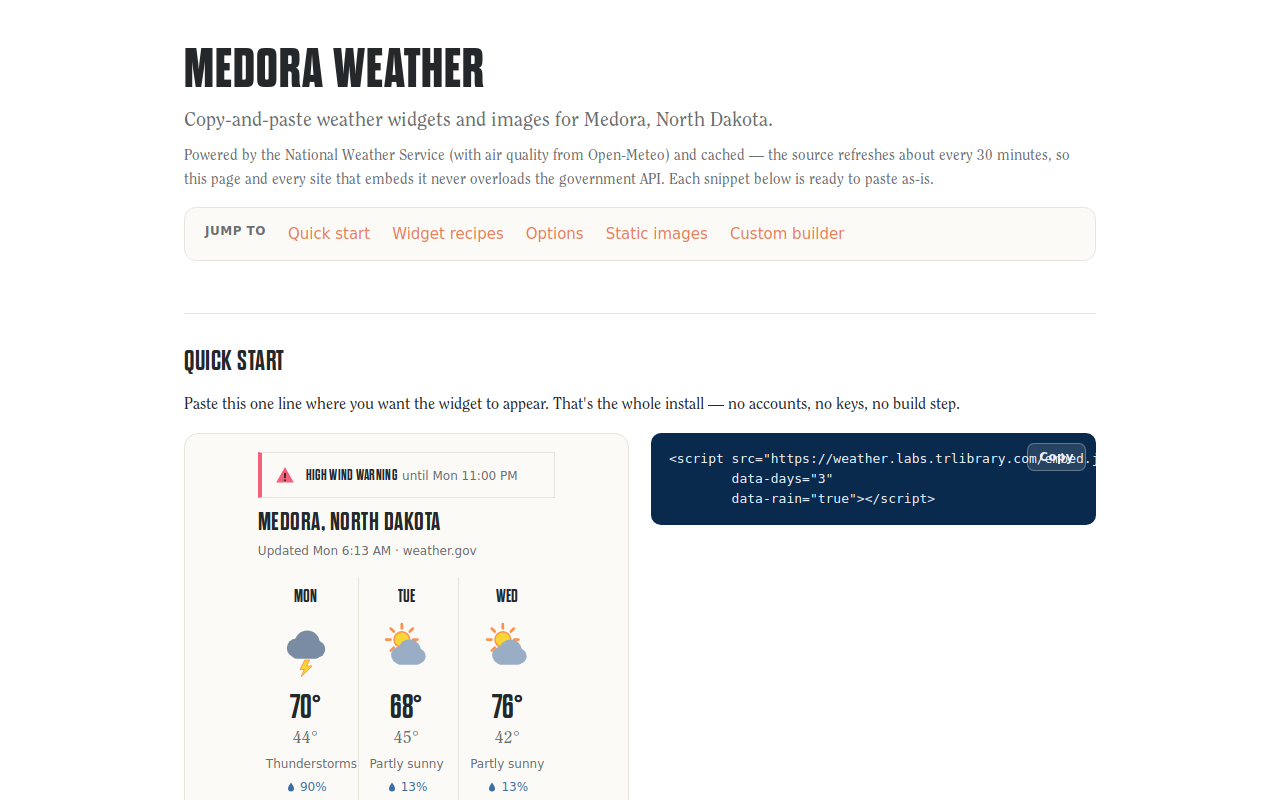
Try it right here
This loads the live project from its own domain, exactly as a visitor would see it.
What it does
A job pulls National Weather Service data and air-quality readings about every thirty minutes, normalizes them into a cached JSON file, and renders both a zero-dependency JavaScript widget and a set of static PNG and SVG forecast images.
Everything the public loads is a static file on a CDN, so visitor traffic never touches the government API and the rate limits never bite. The images are hotlinkable, which means a newsletter can show today's forecast without any JavaScript at all.
What it can do
- One-tag widget with
data-*options for days, hours, rain, view, and refresh interval - Five views: mini badge, current conditions, hourly, multi-day, alerts
- Hotlinkable PNG and SVG images including a 1200×630 social card
- Live severe-weather alert banners with severity tinting and five-minute polling
- Feels-like, wind and gusts, humidity, sunrise and sunset, air quality, snowfall
- Stale-data fallback: serves the last good forecast and flags it rather than going blank
Make it your own
Start by forking the repository into your own organization. Everything below assumes you are working in your fork, not this one.
- Fork the repo, then edit
config.jsonand setlocation— name, region, latitude, longitude, timezone — to your own place. - In the same file set your base URL, custom domain, full-forecast link, and a real contact string for
userAgent. The National Weather Service requires one. - Replace the brand colors, fonts, and icons in
src/lib/brand.mjsandsrc/lib/icons.mjs, and swap the font files for ones you have web-embedding rights to. - Settings → Pages → Source = GitHub Actions. Add your DNS record, set the custom domain, and enable Enforce HTTPS.
- Run
npm install && npm run buildlocally to confirm, then push. The workflow takes over on its half-hourly schedule.
Stuck on a step? Open an issue on the repository. Questions from people adapting these for their own institution are the most useful feedback we get.