
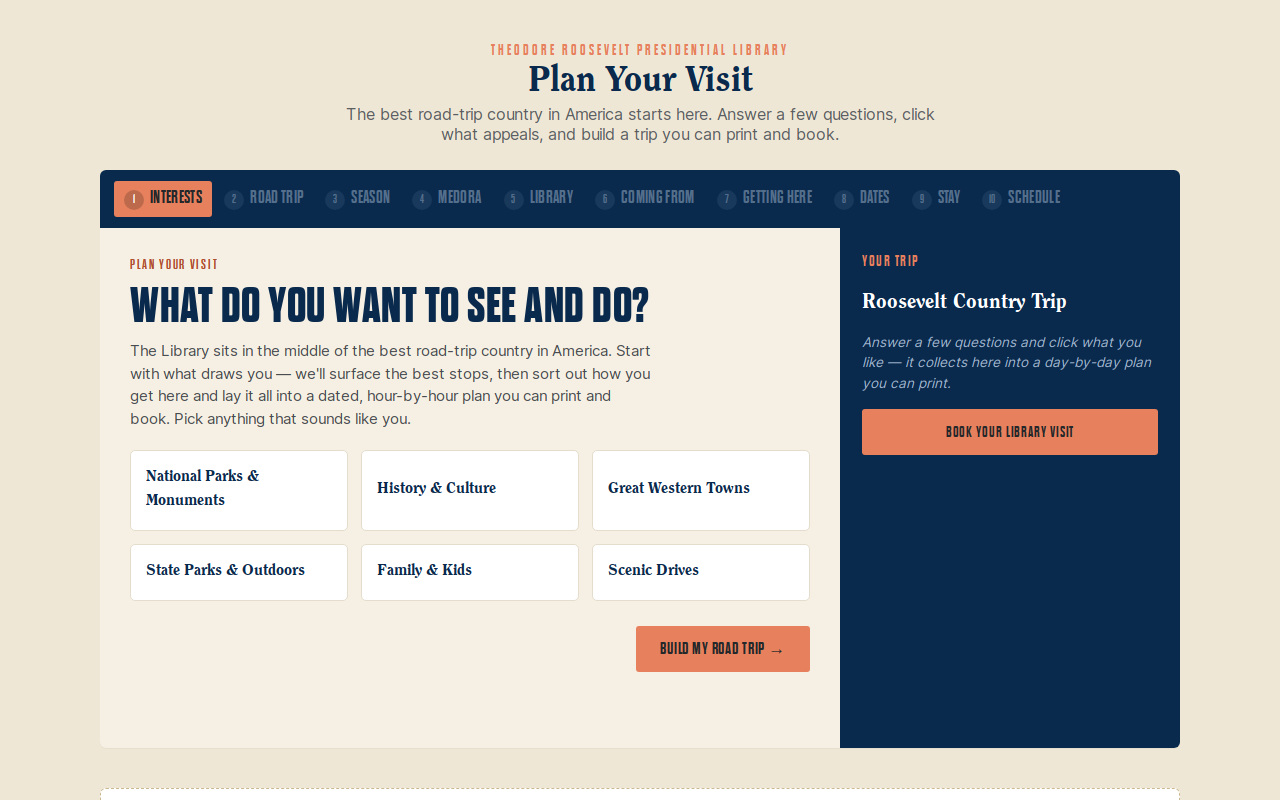
Try it right here
This loads the live project from its own domain, exactly as a visitor would see it.
What it does
Ten questions about interests, dates, travel style, and lodging comfort produce an hour-by-hour itinerary the guest can print, share, or drop into a calendar. It is rule-based and deterministic — there is no model in the loop and nothing to hallucinate.
Everything it knows lives in plain JSON files, so editing the planner means editing data, not code. The scheduler routes distant stops as en-route legs with gateway-city overnights while holding the in-town stay in one contiguous block, so the guest books a single hotel instead of three.
What it can do
- Ten-step wizard across 43 regional stops and a 60-plus item local catalog, filtered by season
- Scheduler honoring opening hours, meal windows, one evening show per night, and pace budgets
- Airport recommendation including open-jaw routing, validated against rental-car coverage at both ends
- Shareable permalinks, calendar export, and a purpose-built print page
- Fix-it-here controls that re-lay an over-full plan in real time
- Two weekly jobs: a live event refresh and a link-rot watchdog that opens issues rather than editing data
- WCAG 2.1 AA verified with axe-core — zero violations
Make it your own
Start by forking the repository into your own organization. Everything below assumes you are working in your fork, not this one.
- Fork the repo and read
CLAUDE.mdfirst — it is the builder's guide to the architecture, the scheduler rules, and the gotchas. - Rewrite the JSON in
data/: origins, airports, destinations, lodging, your local catalog, your own venue and tours, weather, and itineraries. Each file carries anotefield explaining its shape. Do not hand-edit the events file — it is generated. - Set your brand colors, comfort tiers, and travel styles in
data/config.json. - Repoint
scripts/refresh-events.mjsat your own event sources and update the monitored shows in the freshness checker. - Settings → Pages → Source = GitHub Actions. Set your
CNAMEand DNS, and set Workflow permissions to Read and write so the refresh can commit. - Add your own photos by setting each item's
imageto a URL and running the image-caching script.
Stuck on a step? Open an issue on the repository. Questions from people adapting these for their own institution are the most useful feedback we get.