
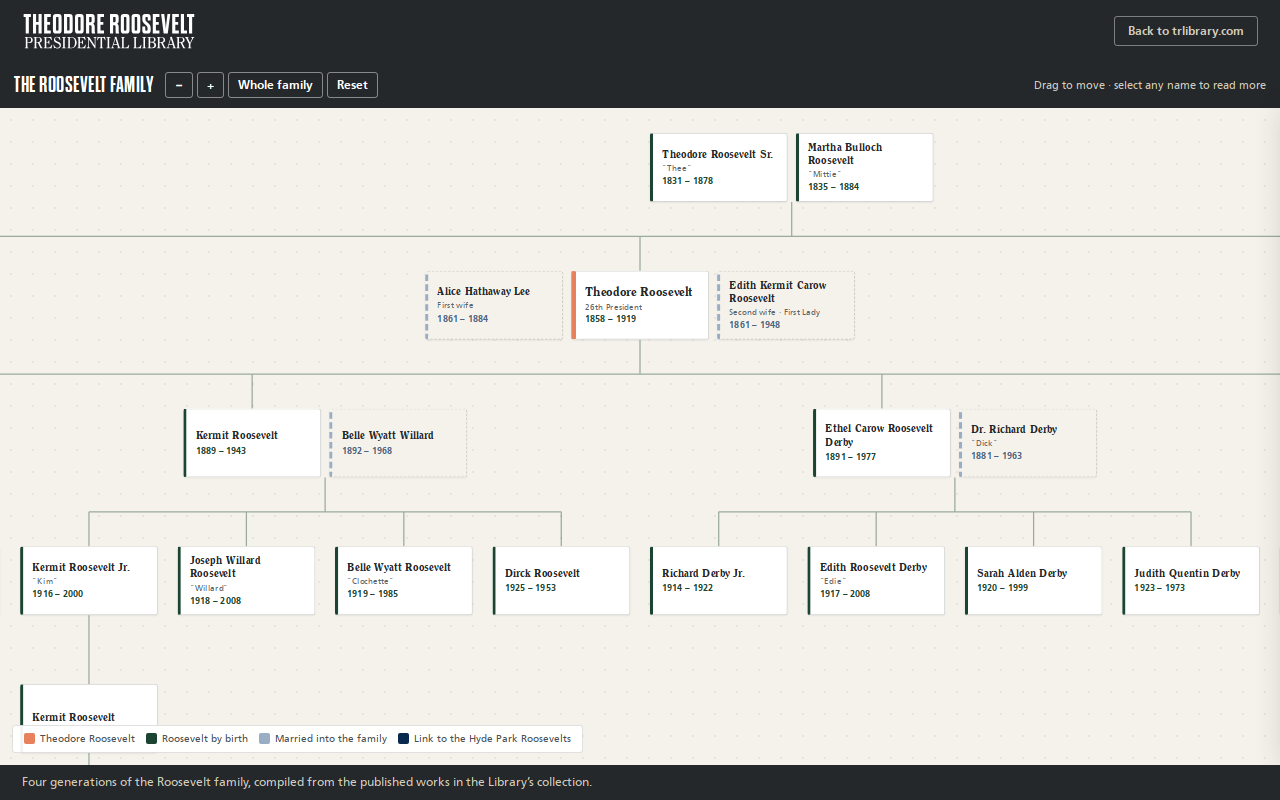
Try it right here
This loads the live project from its own domain, exactly as a visitor would see it.
What it does
Parents, siblings, both wives, six children, their spouses, and all seventeen grandchildren — with two lines carried down to present-day Library Trustees. Every person is a button; every button opens a biography drawn from published works in the Library's collection.
The layout is computed at runtime, so adding a person re-flows the tree instead of forcing anyone to bookkeep coordinates. Dates were checked independently against the Theodore Roosevelt Center, the National Park Service, and contemporary obituaries. That pass corrected two errors in the published books and surfaced a grandchild the sources never named.
What it can do
- 46 people across six generations, laid out automatically
- Biography dialog for every person, closing on Escape
- Two published URLs — a branded standalone page and a bare
embed.htmlfor iframing - JavaScript API:
mount(),open(id),fit(),home() - Shadow DOM isolation with graceful font fallbacks
- CI renders the whole tree headlessly and refuses to deploy if nodes overlap
Make it your own
Start by forking the repository into your own organization. Everything below assumes you are working in your fork, not this one.
- Fork the repo. Everything published lives in
site/. - Replace the
PEOPLEandFAMILIESobjects at the top ofsite/tr-family-tree.jswith your own records. The layout re-flows when you add someone. - Rewrite the biography text in the same file, and document your sourcing in
docs/SOURCES.md. - Swap the masthead and wordmark in
site/index.html, committing your own SVG intosite/rather than hotlinking it. - Update
site/CNAMEand point DNS at GitHub Pages. The workflow verifies, then publishes on push tomain. - Embed by iframing
embed.htmlat an explicit height (700–820px), or drop the script into a page with<div id="tr-family-tree" data-height="780">.
Stuck on a step? Open an issue on the repository. Questions from people adapting these for their own institution are the most useful feedback we get.